
Resin 3D Printer Dimensional Compensation Guide
Dimensional compensation in resin 3D printing means adjusting the model, the slicer settings or the exposure so that finished parts measure on nominal. It works only after the test data has been split into its parts: a scale error that grows with feature length, an edge offset that stays roughly constant and pushes external and internal features in opposite directions, and local errors from geometry, supports, warpage or uneven exposure that no global factor can remove.
Fit measured values against nominal values, correct scale and offset separately for each axis, reprint, and re-measure in the post-cured state. The result is valid for one combination of printer, resin, settings, orientation and post-processing, and nothing wider.
A dimensional accuracy test tells you how far parts are from nominal. It does not tell you what to change. The common shortcut is to read one deviation, enter one percentage into the slicer and print again. Sometimes that helps. Often it fixes the 50 mm block and makes the 6 mm hole worse, because the block and the hole were off for different reasons.
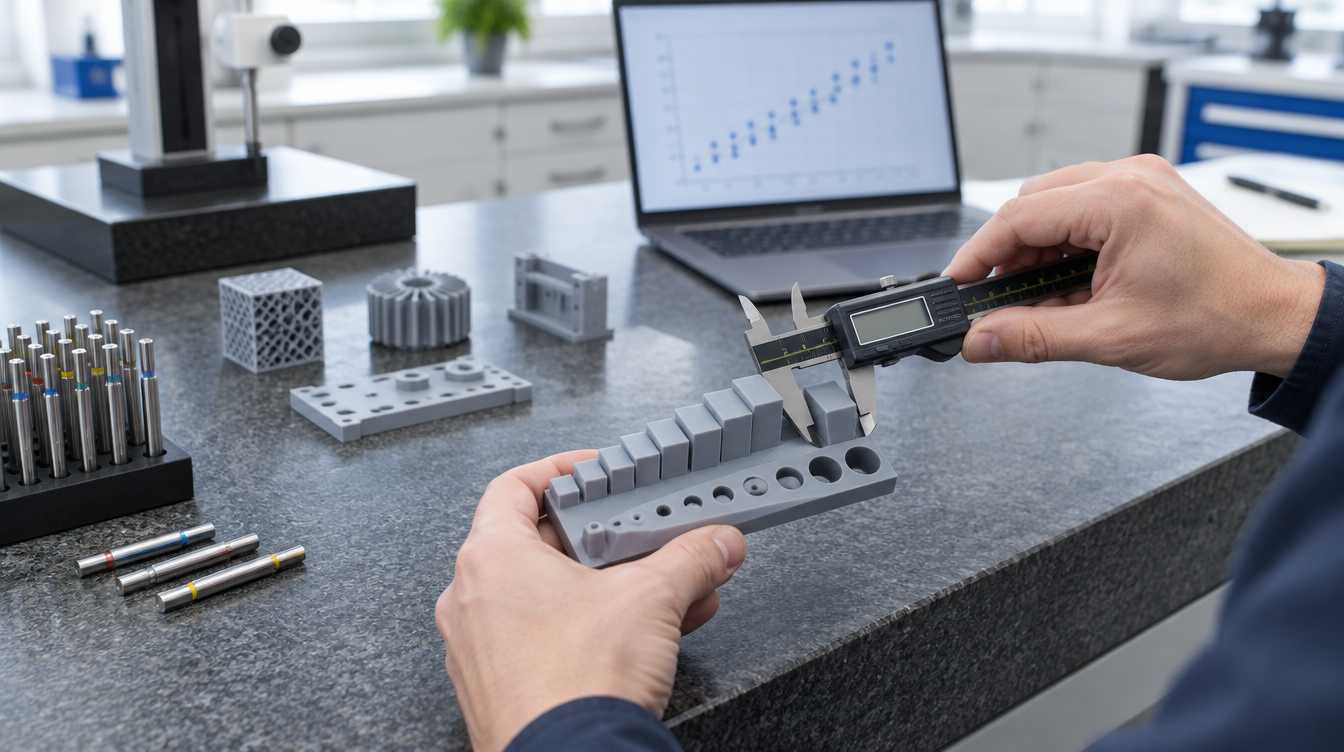
This guide covers the step after testing: reading the deviation pattern, deciding which errors can be compensated, choosing where to apply each correction and confirming that the correction holds. Planning the test itself is covered in our guide to industrial resin 3D printer accuracy verification.
Three kinds of error hide inside one deviation number
In LCD masked exposure and other vat photopolymerization processes, the measured deviation of a feature is usually a mix of several effects. They respond to different corrections, so they have to be separated first.
| Error type | How it shows up in the data | Typical sources | Main correction lever |
|---|---|---|---|
| Scale (proportional) | Deviation grows with feature length; external and internal features move in the same direction | Polymerization shrinkage during printing and post-curing; temperature differences between printing and measurement | Scale factor per axis |
| Edge offset | Roughly the same deviation regardless of size; external features grow while holes and slots shrink, or the reverse | Light spreading beyond the masked edge, over-cure, exposure setting, edge rendering | Exposure first, then an edge offset or feature-level CAD change |
| Z-specific | Base thicker than expected; downward-facing surfaces gain material; horizontal holes go oval | Higher bottom-layer exposure, cure-through on down-facing surfaces, layer discretization | Orientation, supports, base design, Z-specific corrections |
| Local or position-dependent | Error depends on where the part sat on the platform or on local geometry | Light uniformity, peel forces, supports, residual stress, warpage | Process or design changes; not global compensation |
| Random scatter | Repeated features or repeated builds disagree with each other | Process instability, material condition, handling, measurement uncertainty | Stabilize the process and the measurement; cannot be compensated |
A 2025 calibration study on masked stereolithography illustrates the split well: shrinkage-related displacement increased with distance from the part centre, while light bleed enlarged outer contours and reduced inner ones as exposure time increased. The two effects were treated with different corrections. The exact magnitudes in that work belong to its printer and resin, but the separation of mechanisms carries over.
Separate scale from edge offset with a simple fit
The cleanest way to split the two main error types is to measure the same kind of feature at several nominal sizes and look at how the deviation changes with size. Use external features such as blocks or pins and internal features such as holes or slots, spread across the size range your real parts use, and measure each axis separately.
If every edge grows outward by an offset e and the material shrinks by a fraction s, the measured sizes follow approximately:
Internal feature (hole D):measured ≈ (1 − s) × D − 2e
Plot measured minus nominal against nominal size for each family. The slope of both lines gives the scale error. The intercepts give the edge offset, positive for external features and negative for internal ones when the offset comes from over-cure. Long features show scale clearly; short features and small holes are dominated by offset.
The fit is also a diagnostic. If the external and internal lines have clearly different slopes, if the points curve rather than follow a line, or if the same nominal feature measures differently in different platform positions, a global correction will not describe the process. That pattern points to local errors, and those need a process or design fix before any compensation is worth applying.
Two practical points keep the numbers honest. Average repeated features and repeated builds rather than single readings, and compare the size of the proposed correction with the build-to-build scatter. If the correction is smaller than the scatter, applying it will not reliably move parts closer to nominal. Our article on 3D printing accuracy vs precision explains why offset and scatter have to be treated differently.
Fix the process before you compensate
Compensation adjusts for a stable, systematic error. It is not a substitute for a process that changes from build to build. Before calculating any factor, check the items that move the baseline:
Machine condition: platform level and flatness, release film condition, and light output across the exposure area. Uneven exposure creates position-dependent errors that a single factor cannot follow; see resin 3D printer light uniformity.
Resin condition: the same resin type and lot, mixed and at a controlled temperature. Viscosity and reactivity change with temperature, and exposure response changes with them.
Exposure: edge offset is strongly tied to exposure. Set exposure for the required strength and detail first, then measure the offset that remains. Changing exposure after compensation invalidates the offset value.
Post-processing: fixed washing time, complete drying and a defined post-curing routine. Post-curing continues the polymerization, so parts measured before and after curing are not the same parts dimensionally.
A repeatability test is the right check at this stage. Once repeat builds agree with each other, the remaining systematic error is worth correcting.
Where to apply each correction
The same error can be corrected at different points in the workflow. Each option has a different reach and a different risk.
| Correction point | Best for | Watch out for |
|---|---|---|
| Global scale factor in the slicer, per axis | Proportional shrinkage that is consistent across the build | Applies to every part in the build; X, Y and Z may need different factors |
| Edge offset or hole adjustment in the slicer, where the software offers it | Consistent over-cure on contours and holes | Also thins or thickens walls, ribs and fine features; small details can disappear |
| Exposure settings | Reducing the offset at its source | Changes strength, adhesion, cure depth and detail; the whole test has to be repeated |
| Feature-level change in CAD | Critical bores, pins, press fits and mating faces | Ties the print model to one process; keep it as a separate, controlled print revision |
| Orientation and support changes | Z-specific and local errors | Moves other deviations and may change surface quality on functional faces |
For a measured shrinkage s, the model scale factor is 1 / (1 − s). For a measured edge offset e, external contours are moved inward by e and holes are enlarged by 2e in diameter. Apply one type of correction at a time, so the next test shows which change produced which result.
Measure X and Y separately even when the machine looks symmetrical. Some LCD screens have different pixel pitch in X and Y, so contour edges fall on different grids in each direction. On larger platforms, also compare features from the centre and the edges before deriving a single factor for the full build area.
Z-axis compensation is a separate problem
Z errors rarely behave like a clean scale factor. Three effects are common in resin parts:
Base layers: the first layers usually receive extra exposure for platform adhesion, so a part printed flat on the platform can gain thickness and flare at its base. Supports, a sacrificial base or a different orientation are better answers than shrinking the whole part in Z.
Down-facing surfaces: exposure light penetrates deeper than one layer. Where a layer spans an overhang or the ceiling of a horizontal hole, that extra cure depth reaches into uncured resin on the platform side and adds material to the down-facing surface. A hole printed with its axis horizontal may therefore come out oval and undersized in Z while its X or Y size is close to nominal.
Layer discretization: heights that are not a whole number of layers are rounded by the slicer. Layer height sets the step, not the Z accuracy, but the rounding has to be considered before blaming the printer for a small Z deviation.
Test Z features in the orientation that production will use. A Z factor derived from vertical blocks says little about horizontal holes in the same build.
Verify the correction, then lock it
Print the baseline test part in the production orientation and platform positions, over more than one build.
Measure in the final state: after washing, full drying and post-curing, at a consistent time after curing and at a stable measurement temperature.
Fit scale and offset per axis and per feature family, and compare both with the build-to-build scatter.
Apply the corrections, one type at a time.
Reprint and re-measure. Confirm that the remaining deviation and the scatter fit inside the tolerance band, using a measurement method whose uncertainty is small compared with that tolerance.
Check the corrected settings on the representative production part, not only on the test artifact.
Record the compensation recipe: printer, resin and lot, exposure settings, orientation, supports, post-processing routine and every factor applied.
Re-verify the recipe whenever one of its inputs changes: a new resin type or lot, a replaced screen or release film, an exposure change, a different washing or curing routine, a new orientation or a significant change in workshop conditions. A compensation value without its recipe is a number that will eventually be applied to the wrong process.
When compensation is the wrong tool
Some deviations look like candidates for a correction factor but need a different answer:
Large flat parts or thin walls that warp or bow. Residual stress and support layout are the cause; scaling changes the size but not the shape.
Errors that depend on platform position. These come from the machine or the layout and need fixing there.
Dimensions that keep drifting for days after printing. A fixed factor cannot follow a moving value; the material choice, conditioning or design needs review.
Tolerances tighter than the stable scatter of the process. Compensation moves the average, not the spread. For a few critical bores, printing slightly undersized and finishing them by reaming or machining can be the more reliable route.
Recognizing these cases early saves several rounds of reprinting. The broader causes behind each pattern are covered in 3D printing dimensional deviation.
Applying this on industrial LCD resin printers
YIDIMU's industrial systems, including the Eternal M1 and the large-format Eternal M2, use LCD masked exposure and work with Chitubox and Chitubox Pro slicing software. On these machines, as on any resin printer, the XY pixel size describes how finely the exposure image is divided. It is not the dimensional accuracy of a finished part, and it does not replace the measured scale and offset values for a specific resin and setup.
The larger the platform, the more important it is to check position effects before applying one factor to a full build. For engineering parts with fits, the most dependable approach is to derive the compensation recipe on the target machine with the target resin, then confirm it on your own representative part.
Check your parts against your tolerances
If you are setting up dimensional compensation for a production part, send us the CAD model, the critical dimensions and tolerances, the intended resin and the required post-processing. YIDIMU's application team can review the geometry and plan representative test printing on the relevant system. Submit your model and requirements.